Minimal Coffee Mug Mock Up: A Practical Tool for Showcasing Your Designs
When you invest time in creating a unique design for a coffee mug, the next step is showing it off in a way that resonates with your audience. Whether you are selling on Etsy, posting on Instagram, or building a brand portfolio, how you present that mug matters. A generic product photo or a flat digital file often fails to capture the warmth, scale, and everyday appeal of a coffee mug. That is where a Minimal Coffee Mug Mock Up becomes an essential asset. This simple yet effective resource bridges the gap between your digital artwork and a real-life product shot, letting you focus on what matters most—your design and your message.
In this article, we break down what this mockup is, the common challenges it addresses, how you can use it in your workflow, and why it makes sense for creatives, small businesses, and content creators alike. No fluff, no hype—just practical guidance to help you get the most out of this digital product.
What Is a Minimal Coffee Mug Mock Up?
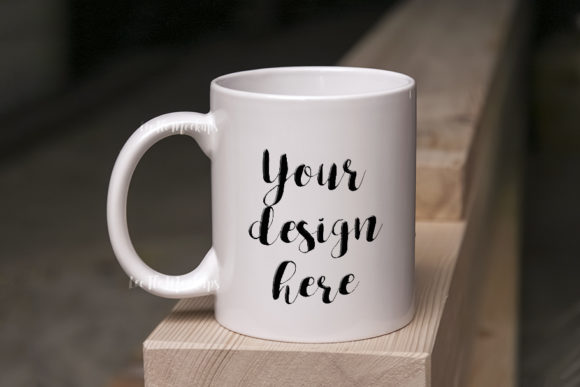
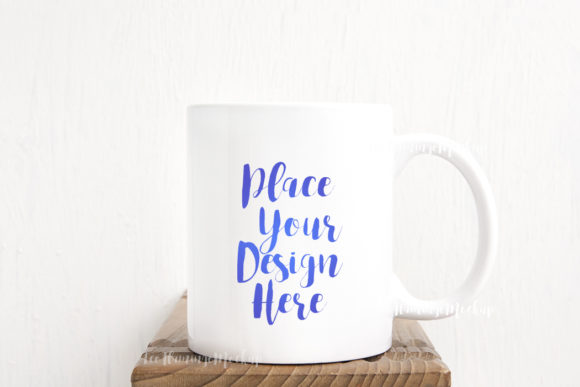
A Minimal Coffee Mug Mock Up is a pre-made digital template that places your design onto a realistic photo of an 11oz sublimation mug. The product you receive includes a high-resolution JPG image (3504 x 2336 px, 300 dpi) and a PSD file with one smart object layer. The smart object is set to multiply blend mode, which means your design will sit naturally on the mug surface, taking into account shadows, highlights, and the curvature of the ceramic. This is not a synthetic 3D render; it is a real photo scene. The background and mug are on the same layer, so you cannot move them around. But that simplicity is intentional—you place your design in seconds and you are done.
The download includes an easy instruction sheet (a help file JPG) that guides you through opening the PSD and inserting your artwork. Because the layers are hidden by default in the PSD, reading that file first saves you from confusion. The mockup works with Photoshop CS4 and above, as well as free online editors like Pixlr if you do not have Photoshop. That flexibility alone makes it accessible for virtually anyone who needs to showcase a mug design without a full photoshoot.
The Challenges That a Simple Mockup Solves
If you have ever tried to photograph a real mug with your design, you know the obstacles: inconsistent lighting, distracting backgrounds, awkward reflections, and time spent editing. Then there is the logistics cost—ordering a sample, waiting for shipping, and hoping the print matches your file. For many designers and sellers, that process is simply not feasible for every new release.
On the flip side, showing a flat PNG of your design on a white background lacks context. Customers and followers cannot picture how the mug will look in a real setting. The scale feels off, the material appearance is missing, and the emotional connection to a morning coffee routine is lost.
A Minimal Coffee Mug Mock Up solves both problems. It gives you a professional, lifelike display without the need for a physical product or a studio setup. The neutral, minimal aesthetic means your design remains the hero. There are no busy patterns or bright colors competing for attention. The mug sits in a clean environment that works for quotes, vintage illustrations, modern graphics, or even simple text.
Another challenge is file compatibility. Many mockups on the market require advanced software skills or expensive plugins. This one keeps it straightforward: a single smart object, a multiply layer, and a clear instruction sheet. Even if you have not used a PSD smart object before, the process is intuitive after one look at the help file.
How This Mockup Helps Different Users
Let us look at three common scenarios where this mockup shines.
For Graphic Designers and Illustrators
If you create digital art, patterns, or lettering, you need a way to show them applied to real-world products. A mug is a popular canvas, especially for gift items, home decor, and personalized presents. Using this mockup, you can generate on-brand portfolio images in minutes. Because the JPG is high-res (3504 x 2336 px), you can zoom in on fine details without pixelation. The multiply blend mode ensures your colors pop correctly over the mug's surface, which is slightly off-white in the photo. You do not have to adjust your design's blend mode manually; it is pre-set for you.
For client presentations, you can drop their logo or tagline into the smart object and send them a realistic preview before production. That builds trust and helps clients visualize the final product without costly prototypes.
For Small Business Owners and Etsy Sellers
Your product photos are your salespeople. On marketplaces like Etsy, Amazon Handmade, or your own Shopify store, the first image determines whether a buyer clicks or scrolls past. A Minimal Coffee Mug Mock Up gives you a consistent, attractive main image. You can use the included JPG as your primary photo, then crop it for thumbnails or social media squares. The neutral background makes it easy to add your own text overlays or branding without visual clutter.
Because the background is not a separate layer, you cannot replace it. But that is actually an advantage for sellers who want a uniform look across their listings. The soft, warm background complements most color schemes and keeps the focus on the mug. You can also export multiple variants by swapping out the smart object content—for example, showing the same mug with different quotes or color variations.
For Social Media Managers and Content Creators
Instagram, Pinterest, and Facebook thrive on lifestyle imagery. A flat vector or a screenshot of a design file rarely gets engagement. A mockup like this one creates a polished post that looks like a professional product shoot. You can use it for quote graphics, motivational text, or seasonal designs. The 11oz mug size is familiar and relatable—everyone knows what a standard mug looks like in their hand.
Because the mockup is minimal, you can overlay additional text (like a caption or call-to-action) outside the mug area without clashing. The high resolution also allows you to print the image for flyers or lookbooks if needed. For recurring content series—such as "Monday Motivation" or "Design of the Week"—this mockup becomes a reusable template. Keep the base image, swap the design, and your visual identity stays consistent.
Practical Applications and Outcomes
When you use a Minimal Coffee Mug Mock Up, the outcome is a professional-looking product visualization that can be produced in under five minutes. Here are concrete ways you might apply it:
- Etsy listings: Use the JPG as the primary image. It meets Etsy’s 3000 px minimum dimension requirement for the zoom feature, so buyers can inspect the mug closely.
- Instagram posts: Crop the image to a square (1080x1080 px) and add a short caption. The neutral background keeps the focus on your design and your text.
- Web design mockups: Display a mug design as part of a homepage hero section or a product page to add warmth and context.
- Marketing emails: Include the mug photo in a newsletter to promote a new line or a seasonal offer.
- Creative portfolios: Show your ability to apply art to merchandise without needing a physical sample.
For a more customized look, you can use photo editing software to adjust brightness or add subtle shadows, but the mockup works well straight out of the box. The instruction sheet also notes that the design should be placed in the smart object with the blend mode set to multiply for best results. If you use Pixlr or another editor, you can still import the PSD and access the smart object layer as long as the software supports it.
Important Considerations Before Downloading
This is a digital product, so what you download is exactly what is described: one PSD, one JPG, and an instruction file. No watermark, no text, no hidden layers. The mug and background are on the same layer, so you cannot reposition the mug or swap the background. That is by design—the simplicity saves time and ensures consistent results. If you need a full mockup scene where you can move objects or change materials, this may feel limiting. But for most users who just want to place a design and export, it is exactly what they need.
Also note that the smart object layer is set to multiply. That means white or light parts of your design will become semi-transparent on the mug. Darker colors will show up vividly. Make sure your design is created on a white or transparent background to avoid unwanted blocks of color. If you want white text to remain opaque, you may need to adjust your design slightly (for example, adding a slight glow or using a solid white layer) but the multiply effect works beautifully for most artwork.
Because the file is 300 dpi, you can print the resulting image for small-scale use like lookbooks or flyers, though keep in mind the mug itself is a representation, not a printable template for production. This mockup is intended for presentation, not for printing onto actual mugs.
Getting Started: A Quick Workflow
If you are new to smart objects, here is a straightforward process:
- Open the PSD file in Photoshop or Pixlr. Read the help file first to locate the hidden layers if necessary.
- Double-click the smart object thumbnail in the Layers panel. A new window opens showing a placeholder image.
- Paste or place your design into that window. Scale it to fit the mug area as needed.
- Save and close that window. The main file updates automatically.
- Adjust the design’s position by using Free Transform within the smart object.
- Export as JPG or PNG. You can also use the included JPG directly if you only need the blank scene.
That is it. The whole process takes less than two minutes once you have the workflow down. For batch presentations, you can duplicate the PSD file and swap the smart object content for each design.
Why Minimal Is Often Best
In a world of complex templates with dozens of layers and adjustable elements, there is real value in simplicity. The Minimal Coffee Mug Mock Up removes decision fatigue. You do not need to tweak lighting, choose a background texture, or worry about perspective. You just place your design and move on. That matters when you are running a business, creating content on a tight schedule, or working on multiple projects at once.
By focusing on the user’s core need—showing a design on a mug quickly and attractively—this mockup fulfills its purpose without unnecessary complexity. Whether you are a seasoned designer or someone who just wants to put a funny quote on a mug for social media, you will find it easy to use and effective.
Ultimately, the right mockup is one that makes your work look better while saving you time. The Minimal Coffee Mug Mock Up does exactly that. If you are ready to present your mug designs in a clean, professional, and relatable way, this digital product provides a solid foundation for your presentation needs.