Holiday Coffee Mug Mockup for Seasonal Branding and Social Media Content
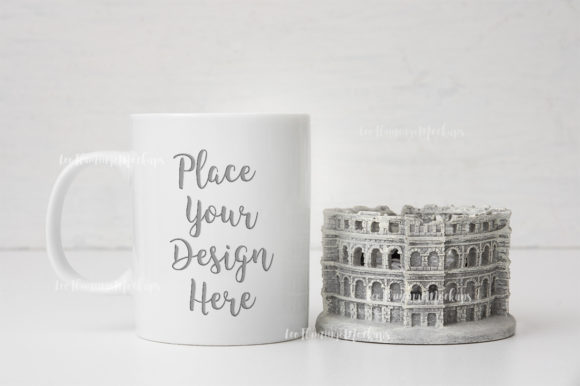
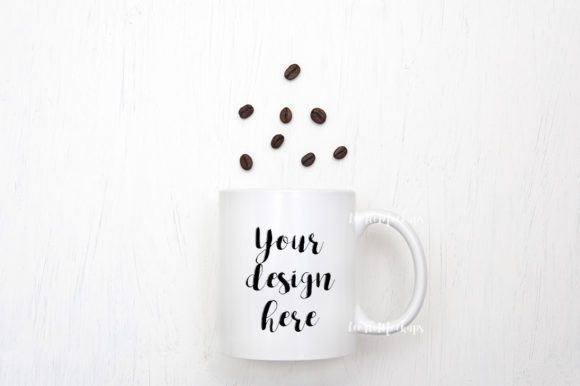
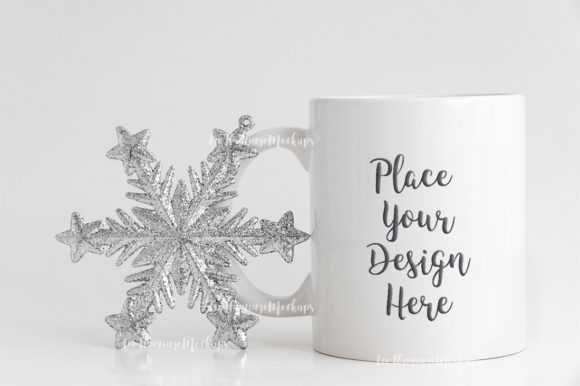
When you need to show a seasonal design in a realistic setting, the Holiday Coffee Mug Mockup offers a straightforward solution. This winter-themed, minimal 11oz mug mock-up provides a neutral backdrop that works for Christmas, New Year, and general holiday promotions. The PSD file includes a smart object layer, making it easy to place your artwork or text into the scene, even if you have limited experience with layered files.
Unlike fully editable 3D renders, this mock-up uses a real photograph where the mug and background are on the same layer. That means you cannot reposition the mug or change the environment. However, the composition is clean and centered, so the mug becomes a natural focal point for your design. The minimal aesthetic helps your artwork stand out without competing with busy patterns or props.
Key characteristics of the Holiday Coffee Mug Mockup
The file set includes a high-resolution JPG (3504 x 2336 pixels at 300 dpi) and a PSD file compatible with Photoshop CS4 and later. You can also use free online editors like Pixlr if you do not have desktop software. The resolution is suitable for social media posts, blog featured images, and small-format web banners. The RGB color profile aligns with digital display needs, so colors should appear accurate on screens.
The design style is minimal and neutral. The mug is a standard white 11oz shape, and the background uses soft, muted winter tones. There are no strong shadows, bright props, or distracting holiday clichés. This restraint makes the mock-up adaptable for different branding styles, from vintage illustrations to modern typography. The scene feels calm and professional, which is helpful if you are presenting a design to clients or uploading a polished image to an Instagram feed.
The smart object layer simplifies the workflow. You open the PSD, double-click the smart object thumbnail, paste your design, save, and close. The mock-up automatically updates with your artwork in the correct perspective and lighting. The included help file provides instructions, and it is worth reading before opening the PSD because layers are hidden by default.
Practical value for digital creators and marketers
For freelancers, small business owners, and social media managers, presenting a design on a mug instead of a flat rectangle can significantly improve audience engagement. A mug is a familiar, tactile object that feels relatable and seasonal. When you post a holiday promotion, a mock-up image on a coffee mug often performs better than a plain digital mock-up because viewers can imagine the product in daily use.
This mock-up is especially effective for Instagram and Pinterest, where lifestyle imagery drives clicks and saves. The neutral background makes it easy to add text overlays or frame the image with a consistent brand palette. You could use the image as a standalone post, a story background, or a blog thumbnail. The high resolution also allows for cropping or zooming without losing clarity, so you can create different aspect ratios from the original file.
The file is also useful for e-commerce product listings. If you sell custom mugs or seasonal merchandise, you can use this mock-up to create a cohesive product photo without setting up a photoshoot. Since the scene is real and not a 3D render, it conveys authenticity. Customers often respond positively to real photographs combined with simple design placements because they look less artificial than fully synthetic mock-ups.
Who benefits most from this mock-up
Professionals who need quick turnaround for seasonal content will find the workflow efficient. A graphic designer with a client requesting a Christmas-themed social media series can complete several mug mock-ups in minutes. The minimal style means one mock-up can serve multiple designs without looking repetitive, as long as you vary the artwork.
Small business owners who sell printable art, digital planners, or personalized gifts can also use the mock-up for portfolio displays. For example, a creator who designs winter quote prints can show the design on a mug to demonstrate its versatility. Similarly, a wedding planner or invitation designer can use the mock-up for cozy winter wedding promotions, as the neutral scene does not compete with delicate typography or vintage illustrations.
Bloggers and publishers covering holiday gift guides or winter lifestyle topics can place their logo or a seasonal message on the mug and use it as a consistent header image across posts. The mock-up provides a unified look without requiring repeated design work.
Quality, usability, and real-world performance
The 300 dpi resolution at 3504 x 2336 pixels is more than adequate for web use. Even if you enlarge the image for a full-width blog banner, it should remain sharp. The PSD smart object is correctly set up, and the perspective and lighting feel natural. The mug's shape and the subtle shadows align with the scene lighting, so placed designs look integrated rather than pasted on.
One limitation is the fixed composition. Because the mug and background are on the same layer, you cannot remove the background or move the mug independently. If your workflow requires full flexibility, a layered mock-up with separate objects might be better. However, for most social media and web presentations, this limitation is minor. The provided composition is already well-framed, and the background is neutral enough to work with different brand colors without clashing.
Another consideration is the minimal aesthetic itself. If you prefer highly styled, decorative scenes with ribbons, glitter, or multiple props, this mock-up may feel too simple. The value here lies in its restraint. It gives you a clean canvas that draws attention to your design, not to the scene. For brands that emphasize clarity and modern simplicity, this mock-up is a good match.
Recommendations for effective use
To get the best result, prepare your design at the appropriate size before placing it into the smart object. The unedited mug area is roughly 1800 pixels wide at the tallest point, so an artwork of similar dimensions will look clean. Avoid low-resolution images, as the mock-up will reveal pixelation when viewed on a large screen.
- Use the mock-up for one primary design per image. Trying to show multiple variants on the same mug can look cluttered.
- Match your text and graphics to the calm winter vibe. Bright, high-contrast neon colors might feel out of place against the muted background.
- Consider adding your own subtle text overlay outside the mug area, such as a promotional tagline, to create a layered graphic for social media posts.
- Read the help file first, particularly the part about hidden layers, to avoid confusion when opening the PSD.
Long-term value and alternative uses
While this mock-up is marketed as a holiday asset, the neutral winter scene can extend beyond December. If you offer content related to cozy living, winter wellness, or early-year goal setting, the mock-up remains relevant for January and February posts. The mug itself is not decorated with holiday-specific graphics, so it can be repurposed for New Year promotions, winter sale announcements, or even simple daily quotes throughout the cold season.
The file is a one-time digital download, and you can use it for multiple projects as long as you respect the license terms. For a creator who regularly posts seasonal content, having a reliable mock-up that produces consistent results saves time and reduces the need to reshoot or redesign backgrounds.
If you are considering whether this mock-up fits your workflow, think about how often you present designs in a product-like context. A single mug display may not replace a full listing of multiple products, but it serves as an excellent secondary visual that adds variety to your feed. For a holiday campaign, one or two well-designed mug mock-ups can break up flat graphic posts and increase visual interest.
In terms of SEO and search visibility, using descriptive file names and alt text when you upload the mock-up image to your site helps search engines understand the content. The clean composition also makes it easier to overlay text with strong calls to action, which can improve click-through rates on social media ads.
The Holiday Coffee Mug Mockup is not a fully customizable scene, but it does what a minimal mock-up should do: showcase your design in a realistic, attractive, and immediately usable format. For professionals who need a quick, consistent, and professional presentation for seasonal branding or social media content, this mock-up provides practical value without unnecessary complexity.