Cute Coffee Mug Mock Up
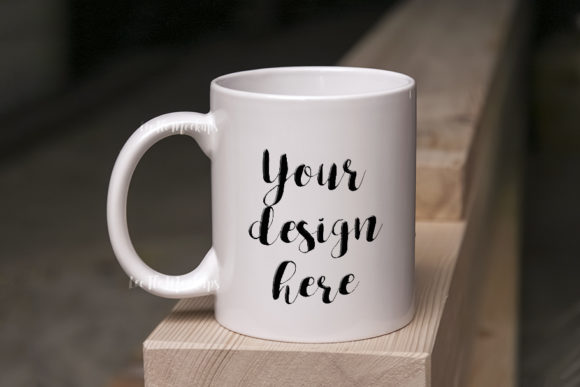
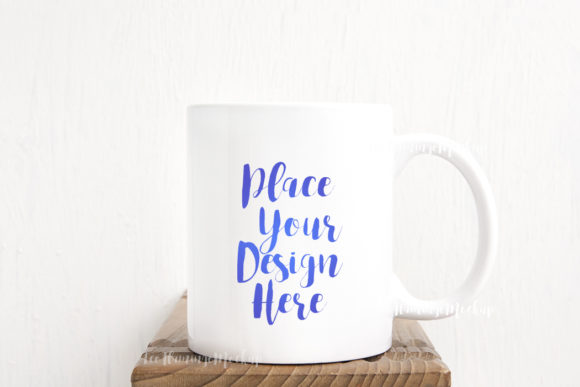
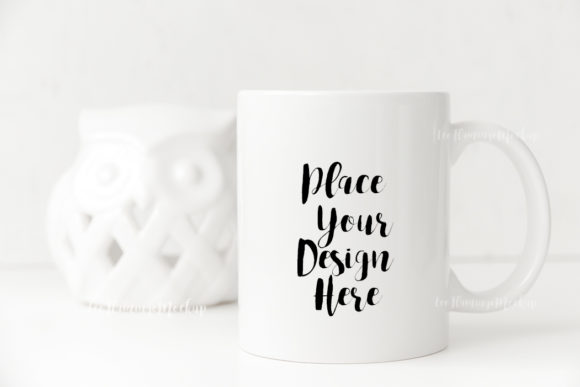
If you’ve ever tried to present a design on a coffee mug—whether it’s a witty quote, a vintage illustration, or a brand logo—you know that a flat image on a white background rarely does it justice. The Cute Coffee Mug Mock Up changes that. It’s a real photo scene of a neutral, minimal soft 11oz sublimation mug, captured in natural-looking lighting. You get a high-res 300 dpi JPG and a PSD file with one smart object layer set to multiply. The background and the mug are on the same layer, so you can’t move objects around—but that simplicity is exactly what makes it quick to use.
This isn’t a bloated template with dozens of layers. It’s a straightforward digital product: place your design or text into the smart object, and it wraps onto the mug naturally. The multiply blend mode works especially well for dark text or illustrations on the light ceramic surface. You’ll receive a 3504 x 2336px image in RGB, perfect for screen use. No watermarks, no hidden fees. Just one clean mockup that helps you show off your work in a real-world context.
Where and why people actually use this mockup
The real value of the Cute Coffee Mug Mock Up shows up when you stop thinking of it as a file and start thinking about the situations where a mug photo can communicate something. Here are the most common scenarios, based on how creators, entrepreneurs, and marketers actually operate.
Social media posts that look natural, not stock
If you run an Instagram account for your small shop or creative side hustle, you know that product photos need to feel relatable. A flat mockup with a transparent background screams “template.” This photo, with its soft neutral tones and real lighting, slips right into a feed. You can overlay your quote or design in seconds using the smart object—no complex masking. It works for motivational quotes, affirmations, daily reminders, or even a funny line that fits the mug vibe. The mug isn’t staged with props; it’s just there, which lets your message be the hero.
Bloggers also use this mockup for featured images in posts about coffee, morning routines, or self-care. The minimal background keeps the focus on the mug without distracting readers.
Etsy shops and product listings
If you sell digital designs or custom mugs, you need mockups that look like the final product. The Cute Coffee Mug Mock Up is a solid choice for Etsy listings because it shows the actual mug shape and size (11oz) in a believable setting. Buyers want to see how a design sits on a curved surface, and this mockup delivers that without forcing you to rent a studio. Because it’s a real photo, the shadows and highlights are already there—you just add your art.
I’ve seen sellers use it to showcase seasonal collections: fall leaves and latte art, winter snowflakes, spring florals. The neutral mug holds any color scheme well. And because the JPG is high-res, you can crop it for thumbnails or keep it full-size for the listing’s main image.
Web design presentations and portfolios
Freelancers and web designers often need a way to show how a brand would look on merchandise without actually printing it. This mockup fits into a portfolio page or a client presentation smoothly. Drop a brand’s logo or tagline into the smart object, and suddenly the design feels tangible. Clients appreciate seeing their identity on something familiar like a coffee mug—it makes the brand feel more present in everyday life.
Because the PSD uses a single smart object layer (set to multiply), you can change the design in Photoshop CS4 or later, or even in PIXLR online editor. That’s handy if you’re on a machine without high-end software. The help file explains exactly how to open and edit the layer, which reduces the guesswork.
Educators and workshop creators
Teachers who run online courses or printable shops sometimes use mockups to illustrate concepts. For example, a workshop on hand-lettering or calligraphy might include a demo of how a phrase looks on a mug. The Cute Coffee Mug Mock Up gives students a clear example without extra clutter. The soft lighting also works well for educational slides or video thumbnails where you want simplicity, not distraction.
Real-world considerations before you jump in
While the mockup is straightforward, there are a few things to keep in mind so you get the result you expect. These aren’t flaws—they’re just the edge cases that come with any real-photo template.
The mug and background are locked together
Because this is a real photo scene, the cup and the background are on the same layer. You cannot move the mug, change its angle, or swap the backdrop. That’s by design—it maintains the natural lighting and shadows. If you need a mug in a different position (like a side view or a stacked set), you’ll need a different mockup. But for a single, centered shot that feels like a casual flat lay or table photo, this one works great.
Smart object set to multiply mode
The smart object layer uses the Multiply blend mode. That means your design will darken where it overlaps the mug’s highlights and shadows, which often looks very natural—especially for dark text or solid graphics. Light designs or pastels might not show clearly. If your design has white or light elements, you may need to adjust the blending options or layer opacity. The included screenshot (with the smart object outline) shows where the editable area lies, so you can preview placement before finalizing.
Software and file compatibility
You need either Photoshop CS4 or newer to edit the PSD, or you can use PIXLR online editor for free. The JPG is also included if you want to work entirely with raster editing – though you’d need to manually mask or superimpose your design. Most users find the PSD quicker. The help file (a single JPG with easy instructions) tells you which layers are hidden and how to reveal the smart object. Read that file before opening the PSD layers – they’re hidden by default to prevent accidental changes.
Scenarios where this mockup truly shines
- Quote-of-the-day posts – Take a famous or original quote, drop it into the smart object, and post to Instagram. The mug gives a warm, approachable context. The multiply blend ensures black text reads well even on the curved surface.
- Testing branding ideas – You don’t have to print a real mug. Just use the mockup to show a client or yourself how a logo looks on ceramic. You’ll see how the logo curves and how light hits it.
- Creating a consistent product theme – If you sell multiple mug designs, use the same mockup background across all listings. The neutral tone keeps the series cohesive without looking repetitive because the design changes each time.
- Pinterest pins that drive clicks – Pinterest loves vertical lifestyle images. This photo (3504x2336px portrait orientation) fits a pin well if you add a little text overlay outside the mug area. The mug itself draws eyes naturally.
- Holiday and gift guides – Pair the mockup with a short description like “perfect for the coffee lover” and use it in a roundup blog post. The soft background doesn’t compete with other products.
Small details that make a difference
The 300 dpi resolution means you could theoretically print the mockup at a decent size, but most people use it for screens. The RGB color space keeps colors vibrant on monitors and phones. Because the image is 3504 by 2336 pixels, you have room to crop or zoom without losing quality. And since it’s a digital product, you can reuse it for unlimited projects – just place a new design into the smart object each time.
One thing I appreciate: the mockup doesn’t try to be fancy. It’s a simple, no-distraction photo of a mug. That makes it versatile. You can use it for serious brand presentations or for a lighthearted meme post. The mug is clean and neutral, so it works with almost any style of art – from watercolor florals to bold typography.
Who benefits most from this file?
Freelance designers who need quick mockups for clients without spending an hour adjusting layers. Small business owners who want a professional-looking listing image without hiring a photographer. Hobbyists who enjoy making gift mugs for friends and want to preview designs first. Bloggers who need a consistent visual element for quotes or lifestyle posts. Educators creating sample visuals for online courses. The common thread is that everyone wants a realistic presentation with minimal effort.
If you’ve ever found yourself spending more time fiddling with layer masks than actually designing, this mockup is a relief. It’s not a multi-angle 3D scene with endless options – it’s one good photo that does one job well. And for many people, that’s exactly what they need.
The key is to treat the mockup as a starting point, not a limitation. The simple smart object workflow encourages you to iterate fast: try your design, see how it looks, tweak it, and post. No rendering, no external software, no steep learning curve. Just a cute mug shot that lets your work speak.