Silver Horizontal Frame Mock Up: A Versatile Design Tool
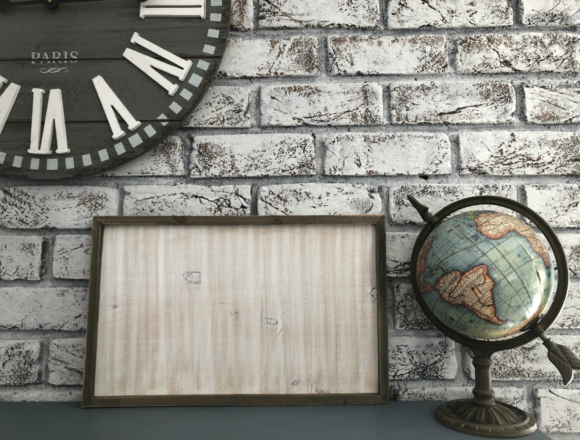
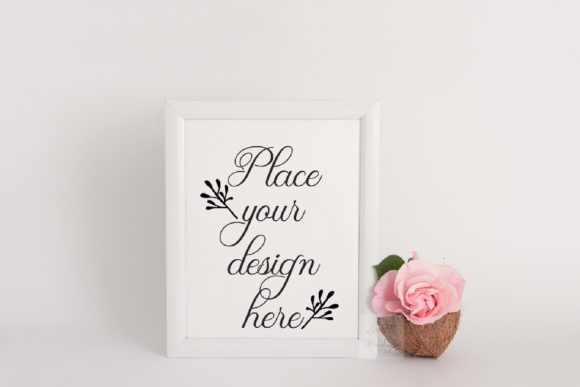
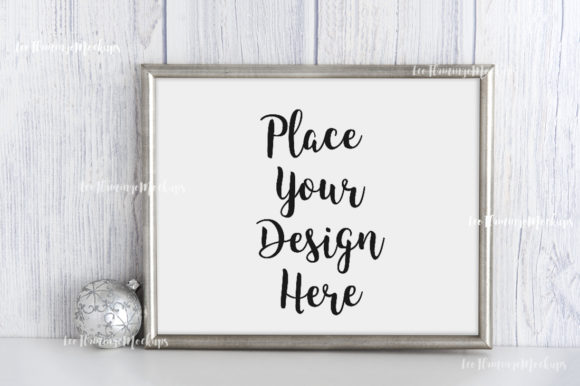
If you’ve ever needed a realistic, elegant way to preview your work without setting up a photo shoot, the Silver Horizontal Frame Mock Up offers a straightforward solution. This digital file combines a minimal metallic frame with a soft, neutral background — a combination that suits a wide range of projects, from wedding invitations to vintage illustrations. Instead of spending time staging and shooting, you can simply drop your design into the provided template and present it professionally in minutes.
What the Silver Horizontal Frame Mock Up Includes
You receive three high‑resolution files: a 300 dpi JPG (3504 x 2336 px), a PNG with a transparent frame layer, and a Smart Object PSD compatible with Photoshop CS4 and up as well as the free online editor PIXLR. The frame dimensions are 8x10 inches (20x25 cm), a classic size that works well for prints, posters, and many digital formats. A help file (JPG) explains how to use each file, including how to handle the hidden layers in the PSD — a detail that saves frustration later. Because the frame and background are captured together in a real photo scene, the objects cannot be moved. This means you’re working with a fixed composition, but one that already looks polished and natural.
Why This Mock Up Matters for Creators and Professionals
The primary value of the Silver Horizontal Frame Mock Up lies in speed and consistency. Whether you’re a freelance designer or a small business owner, presenting your work in a realistic context helps clients visualize the final result. A metallic frame with a rustic feel adds a touch of elegance without overwhelming your design. The monochromatic, neutral palette keeps the focus on your content — ideal for showcasing wedding invitation suites, minimalist branding, or even text‑based blog graphics. Because the mock up uses real photographic lighting and texture, your designs gain an immediate sense of tangibility that flat digital renders often lack.
Practical Time Savings
Instead of arranging physical props and waiting for the right light, you open the PSD, double‑click the smart object, paste your artwork, and save. The transparent PNG works similarly: place the frame image over your design in your preferred software. This workflow is especially useful if you present many variations or regularly update your portfolio. For social media managers who need fresh content each week, the consistent frame style becomes a recognizable visual signature.
Who Benefits Most from This Mock Up
Graphic designers working on print projects will appreciate the 300 dpi resolution, which allows for crisp previews and even printed proofs. Wedding stationers and event planners frequently need to show clients how an invitation, menu, or table number will look when framed — the soft metallic tone complements both classic and modern wedding themes. Vintage illustration sellers on platforms like Etsy can use the mock up to display their digital art as if it were a real print, increasing buyer confidence. Bloggers and educators creating visual aids or course materials also find the neutral frame adds a sophisticated frame without distracting from the message.
Use Cases That Make the Silver Horizontal Frame Mock Up Stand Out
Imagine you’ve designed a typographic quote for a lifestyle blog. Dropping it into this mock up gives it a finished, gallery‑like appearance that works equally well on Instagram or in a web design portfolio. For shop owners who sell printable art, the frame mock up allows you to show customers exactly how the piece might look on a wall, reducing uncertainty and boosting conversions. Even interior designers sometimes use such mock ups to present artwork selections to clients, saving time on physical mock ups.
Another common scenario: preparing a proposal for a corporate client. If you need to show how a logo will appear in a physical office setting, the metallic frame implies quality and professionalism. Because the background is subtle, your branding remains the hero. The same file can be reused for multiple projects by simply swapping the smart object content. Over the long term, one well‑made mock up pays for itself in hours saved.
Limitations and Fit Considerations
Because the frame and background are on the same layer and cannot be repositioned, this mock up offers limited compositional flexibility. If you need to isolate the frame, change the background color, or resize elements independently, a fully layered PSD with separate frame and background layers would be better. The current file is designed for quick, realistic presentation — not for detailed scene editing. Also, the frame’s metallic rustic finish may not suit every style. For ultra‑modern or very colorful projects, a plain white or black frame might be more appropriate. However, for the broad middle ground of neutral, soft, and slightly rustic aesthetics, this mock up fits well.
Tips for Getting the Most Out of the Included Files
- Start with the PNG file if you’re using an app that doesn’t support PSD smart objects. Place the transparent frame over your design and arrange it behind the frame area.
- For the PSD file, read the help JPG first. The smart object layer may be hidden by default to prevent accidental edits. Locate it in the layers panel, double‑click the thumbnail, and paste your artwork. Save and close to see the result.
- Use high‑resolution designs (at least 300 dpi) to match the mock up’s quality. Lower resolution images may appear blurry when scaled to fill the frame.
- Consider the frame’s orientation — it’s horizontal, so vertical or square designs will require cropping or adjusting your composition to fit the 8x10 aspect ratio.
- Test a few designs with the JPG preview before committing to the final file. This helps you judge contrast and how your colors interact with the metallic tones.
How the Silver Horizontal Frame Mock Up Supports Creativity and Communication
Having a ready‑to‑use visual tool reduces friction between concept and presentation. When you’re iterating on a design, you can quickly generate mock ups to share with collaborators or clients, gathering feedback sooner. The realistic lighting and texture help viewers overlook the “digital” nature of the preview and focus on the content. This emotional connection is valuable for wedding invites or holiday cards where sentiment matters as much as design.
For freelancers who often work with non‑designers, a mock up like this can simplify decisions. Instead of explaining what a print will look like, you show it. The neutral backdrop also makes it easy to pair the mock up with other elements — text overlays, logos, or product descriptions — in a blog post or social media carousel. The consistent style becomes a subtle brand asset of its own.
Final Thoughts on Realistic Presentation
The Silver Horizontal Frame Mock Up isn’t a tool for everyone. If you need complete control over every element of a scene, a fully editable composition would be necessary. But if your goal is to present designs quickly, beautifully, and with minimal effort, this file delivers. It respects your time by handling the lighting and staging for you. The only requirement is that you respect the license: use the files to display your own work, but do not sell, share, or claim the mock up itself as your own design.
Professionals who produce visual content day after day will find that a single, high‑quality mock up like this becomes a reliable component of their workflow. Whether you’re preparing a proposal, updating a website, or posting on social media, having a go‑to frame that always looks good is one less thing to worry about. And when the project calls for a soft, metallic, rustic touch, this horizontal frame mock up is a practical choice.